Design with ease
Create inputs, outputs, widgets, Return UI, categories, and metadata without hand-writing every class field.
ComfyUI Node Builder is a local GUI app for creating custom nodes and full node packs with ease. Design the node contract visually, edit Python directly, then use Local Codex or another AI provider to create, revise, validate, test, and deploy more complicated packs.
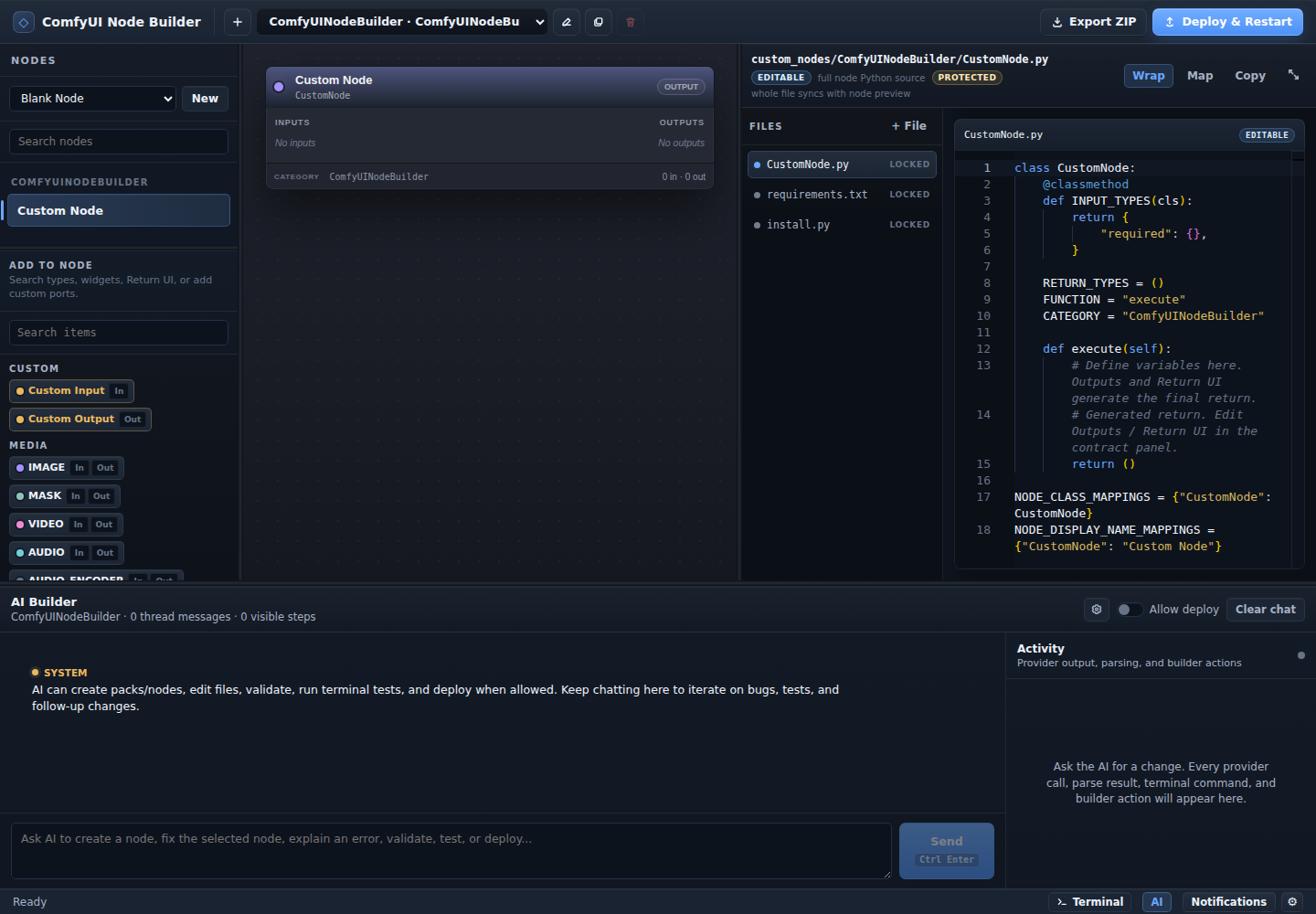
Create inputs, outputs, widgets, Return UI, categories, and metadata without hand-writing every class field.
Use your installed Codex plan locally, or another provider, to create nodes, edit files, explain errors, validate generated packs, run terminal checks, and request deployment when allowed.
Keep direct control of Python, requirements, install scripts, generated mappings, runtime UI, ZIP export, and managed deploy into ComfyUINodeBuilder pack folders.
A local GUI app for building custom ComfyUI nodes and full node packs with Local Codex or provider-backed AI, editable Python, validation, deployment, and testing.
ComfyUI node authors, workflow builders, Python developers, and AI-assisted prototypers who want to move from idea to working node faster.
It removes repetitive node-pack boilerplate while keeping the real files visible, editable, validated, and synced into ComfyUI's managed custom node folder.
The AI Builder sits inside the same workbench as your node preview, synced file tree, source files, and deploy controls.
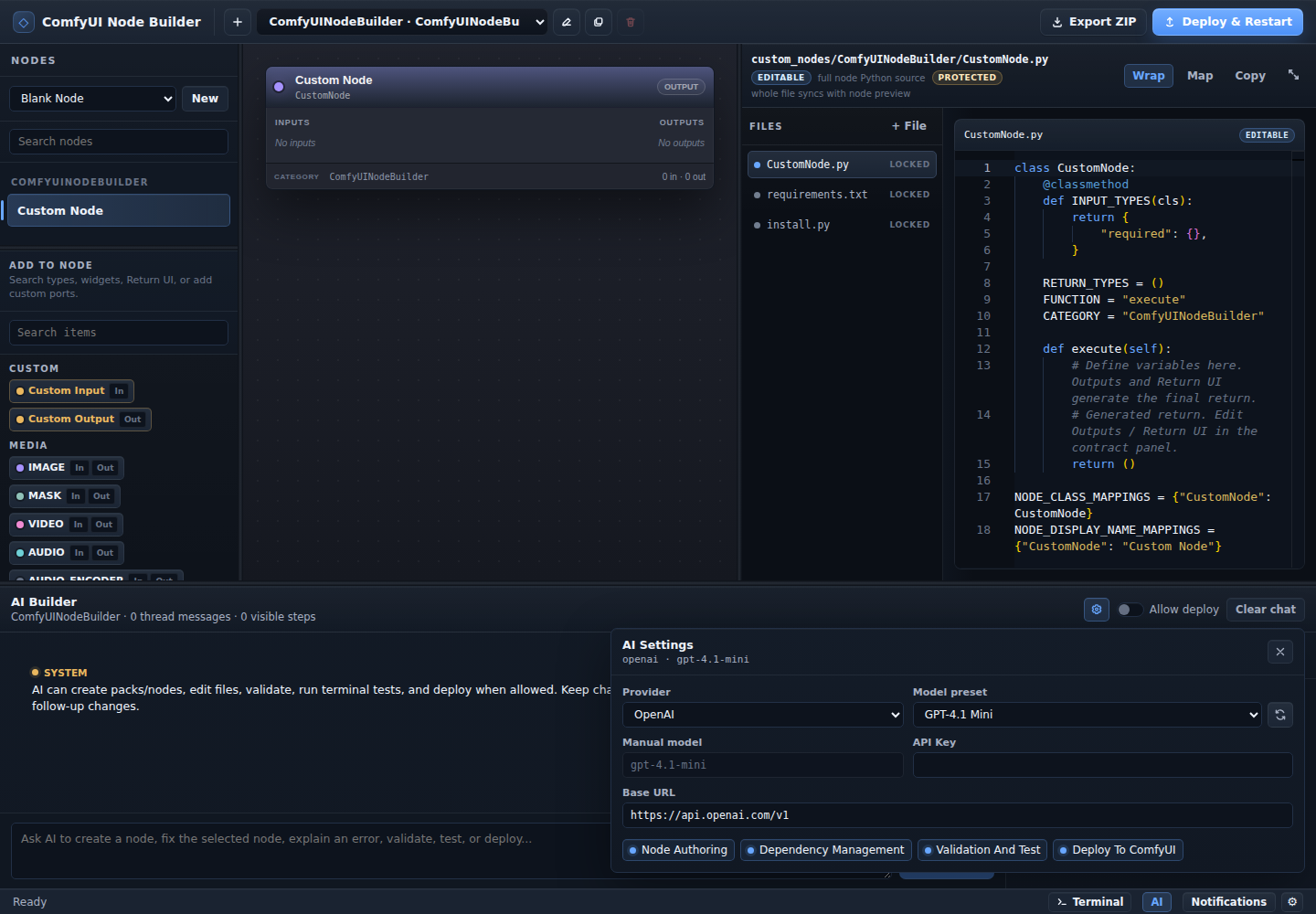
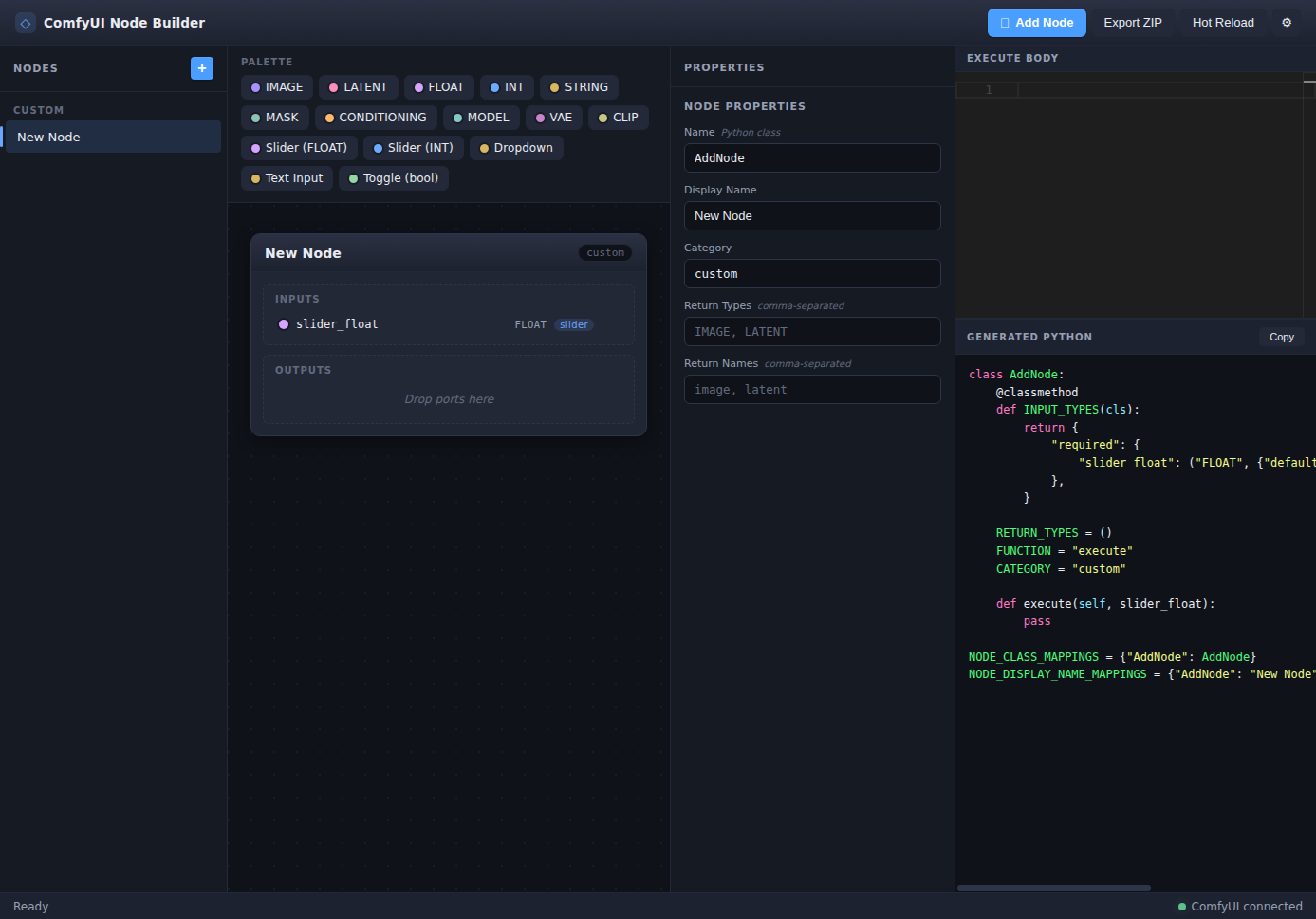
Run the local workbench, open the AI panel, and iterate until your custom node pack is ready for ComfyUI.
git clone https://github.com/caoool/comfyui-node-canvas
cd comfyui-node-canvas
npm install
npm run devStars help more ComfyUI builders find the project and help guide what AI-assisted node authoring should support next.